Available features
Below a walkthrough screen by screen
NTP (Network Time Protocol) clients
-
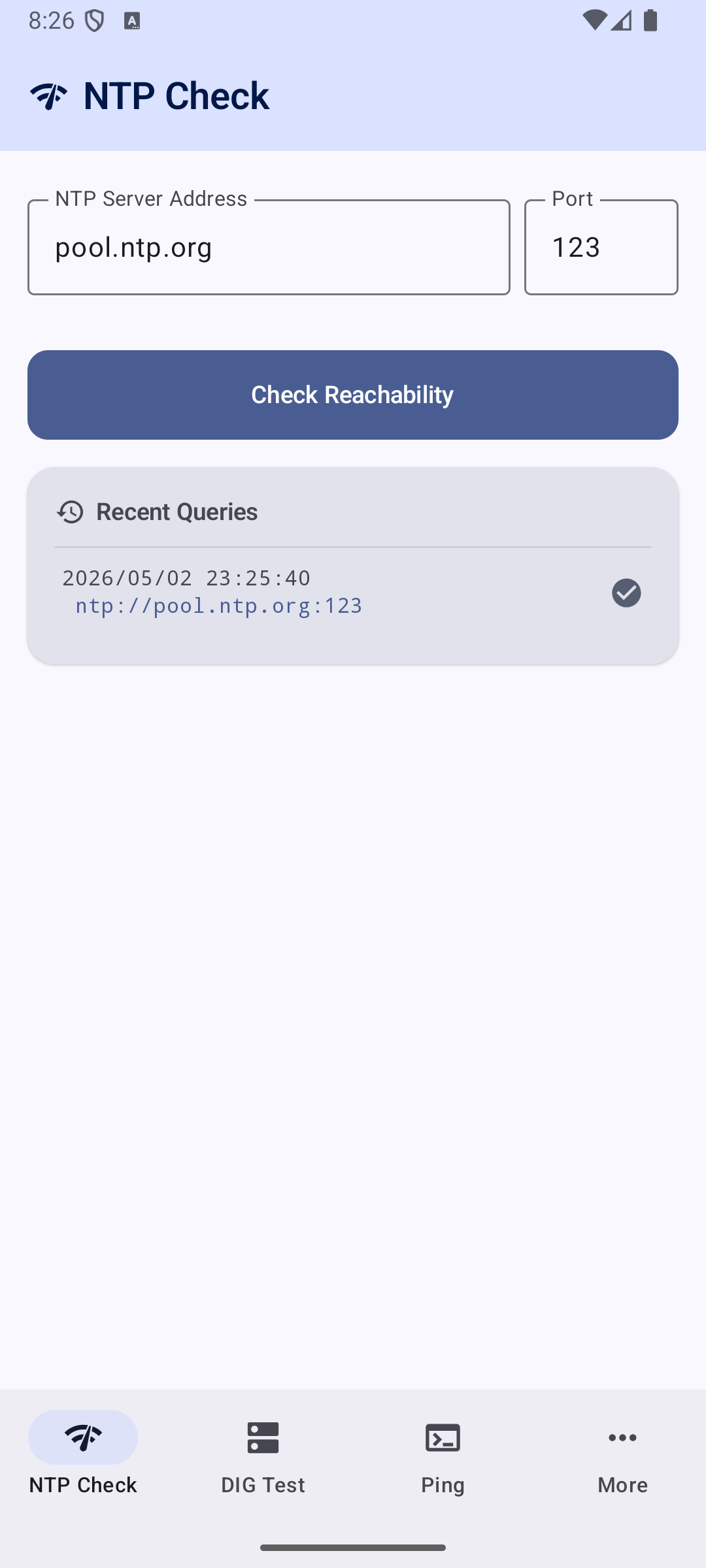
Enter any NTP server address and port defaults to pool.ntp.org:123 Displays:
-
✅ / ❌ Reachability status
-
Server Time
-
Clock Offset (ms)
-
Round-Trip Delay (ms)
-
Last 5 queries kept as clickable history (persisted across app restarts)
-
Graceful error handling: DNS failure, timeout, no network
DIG Domain Information Groper
- DIG Test
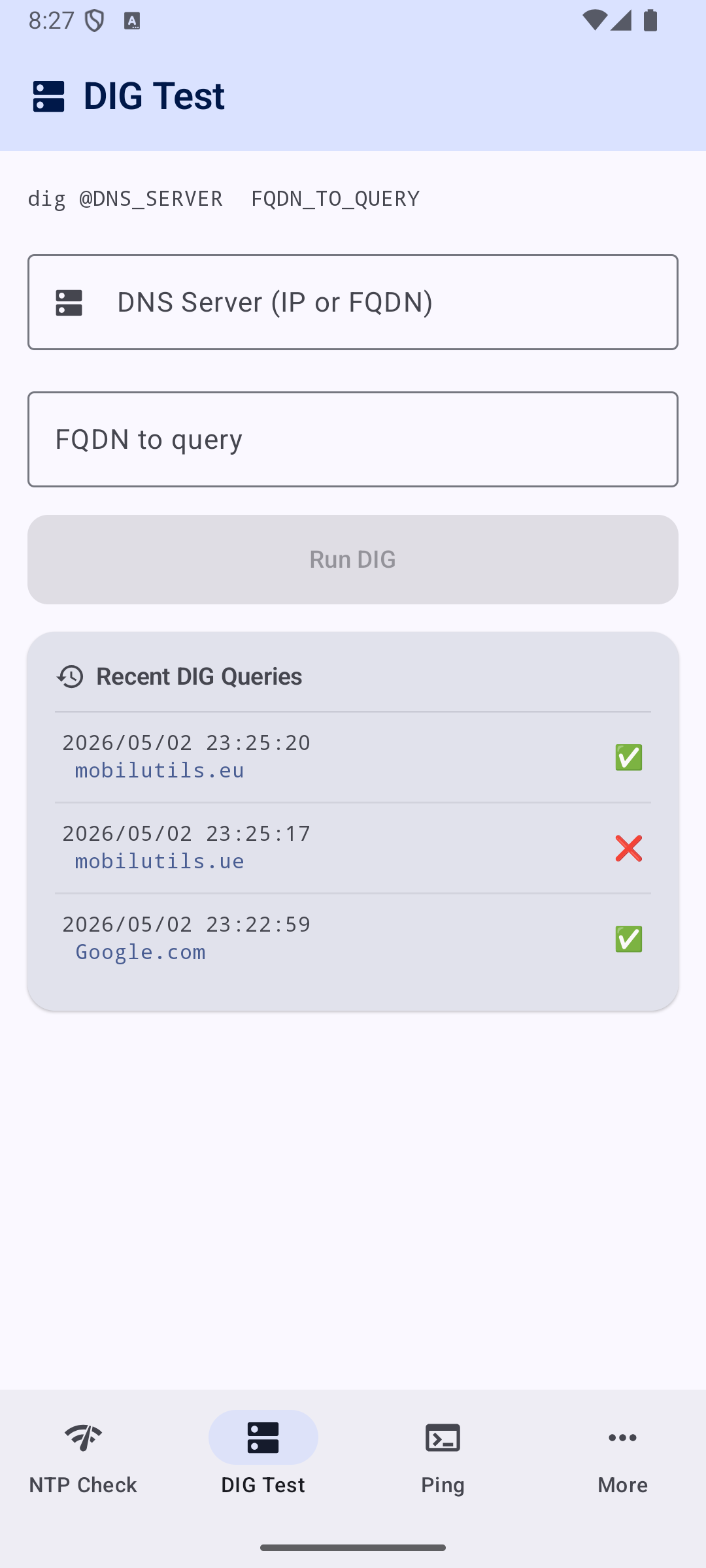
- Enter a DNS server (IP or FQDN, e.g.
8.8.8.8) and a name to resolve - Query goes directly to the specified DNS server (API 29+), not the system resolver
- Displays a real
dig-style answer section with aligned columns: - Full CNAME chain resolution included
- Graceful error handling: NXDOMAIN, resolver unreachable, no network
PING (Packet INternet Groper)
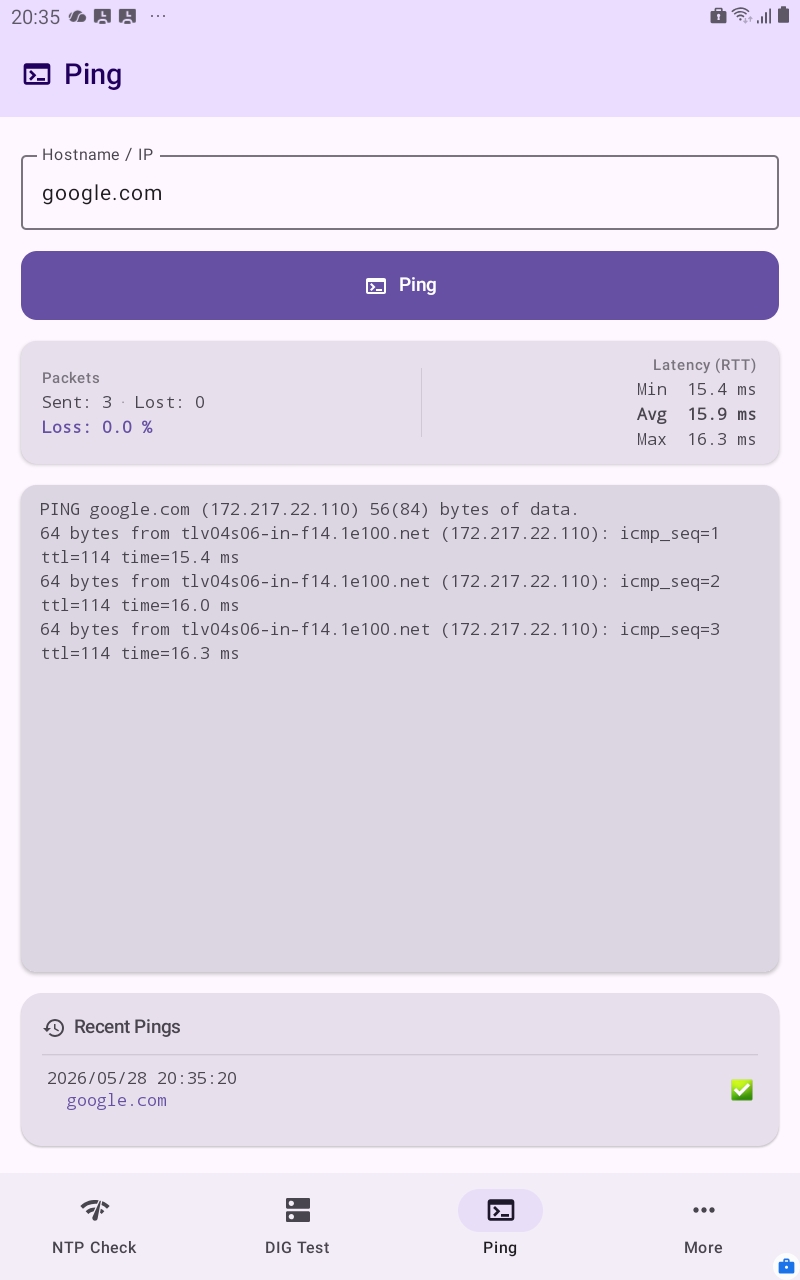
- Enter any hostname or IP address
- Tap Ping to start — button turns red and becomes Stop while running
- Output streams live in a scrolling monospace terminal card
- Sends up to 100 ICMP packets (
ping -c 100); can be stopped at any time - History icon reflects the outcome:
- ✅ All packets went through
- 🤷♂️ At least one succeeded but some were lost
- ❌ No reply received
- Last 5 pinged hosts kept as clickable history (persisted across app restarts)
MORE (in the app's name)
MORE
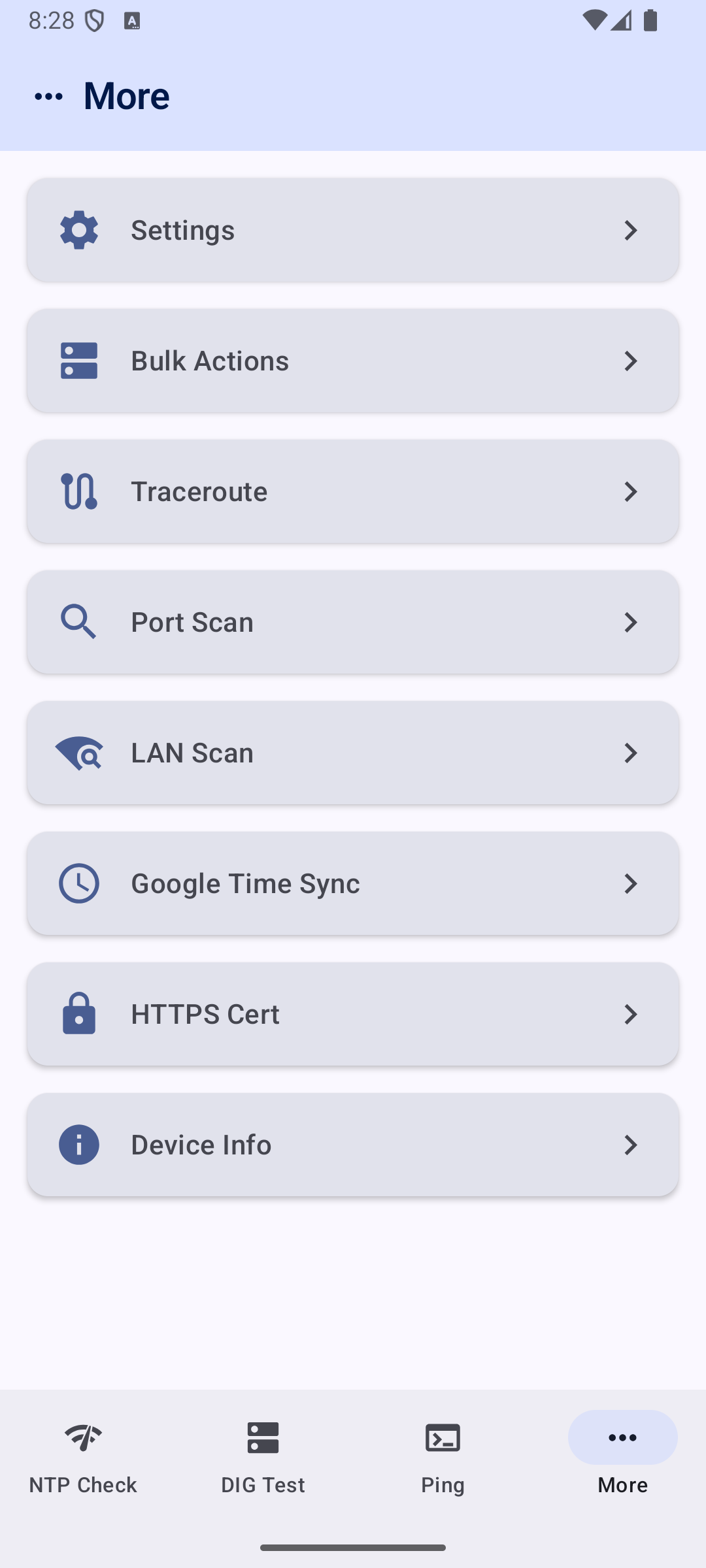
- The name is NTP DIG PING ..MORE
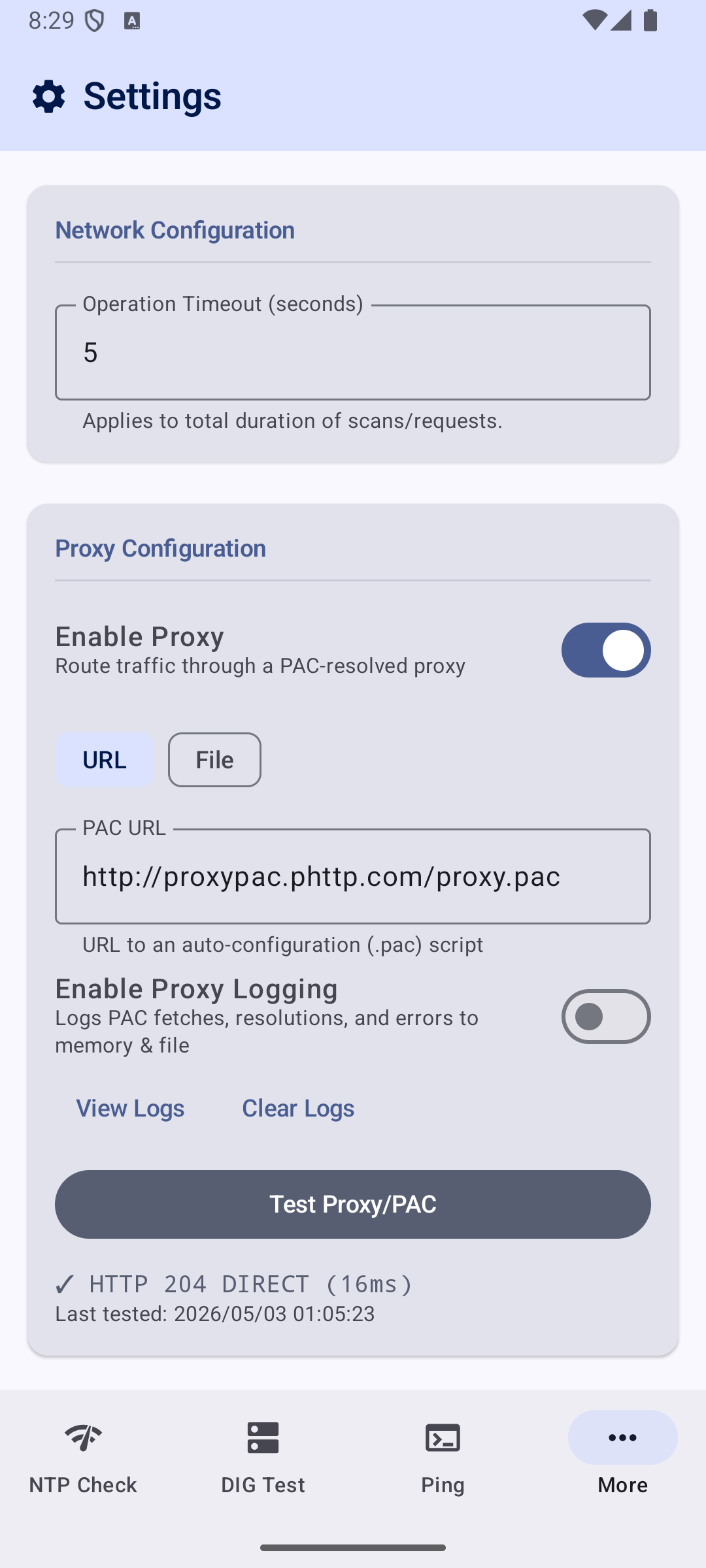
Settings
- Operation Timeout — global timeout (1–60 s) applied to all network tools
- Changes saved immediately on valid input; reverts on focus-loss if invalid
- Proxy PAC Configuration — app-level proxy override (independent of system proxy)
- Toggle proxy routing on/off
- PAC URL input with URL format validation (http/https only)
- PAC scripts evaluated with a lightweight JavaScript engine (QuickJS)
- PAC results cached with 5-minute TTL for performance
- Supports
PROXY,SOCKS, andDIRECTdirectives with fallback chains - "Test Proxy/PAC" button sends a HEAD request through the resolved proxy and reports latency
- Last test result and timestamp persisted across app restarts
- Applied to Google Time Sync (HTTP) and HTTPS Certificate Inspector (SSL CONNECT tunnel)
- All failures fall back silently to DIRECT — proxy issues never block normal usage
Bulk Actions
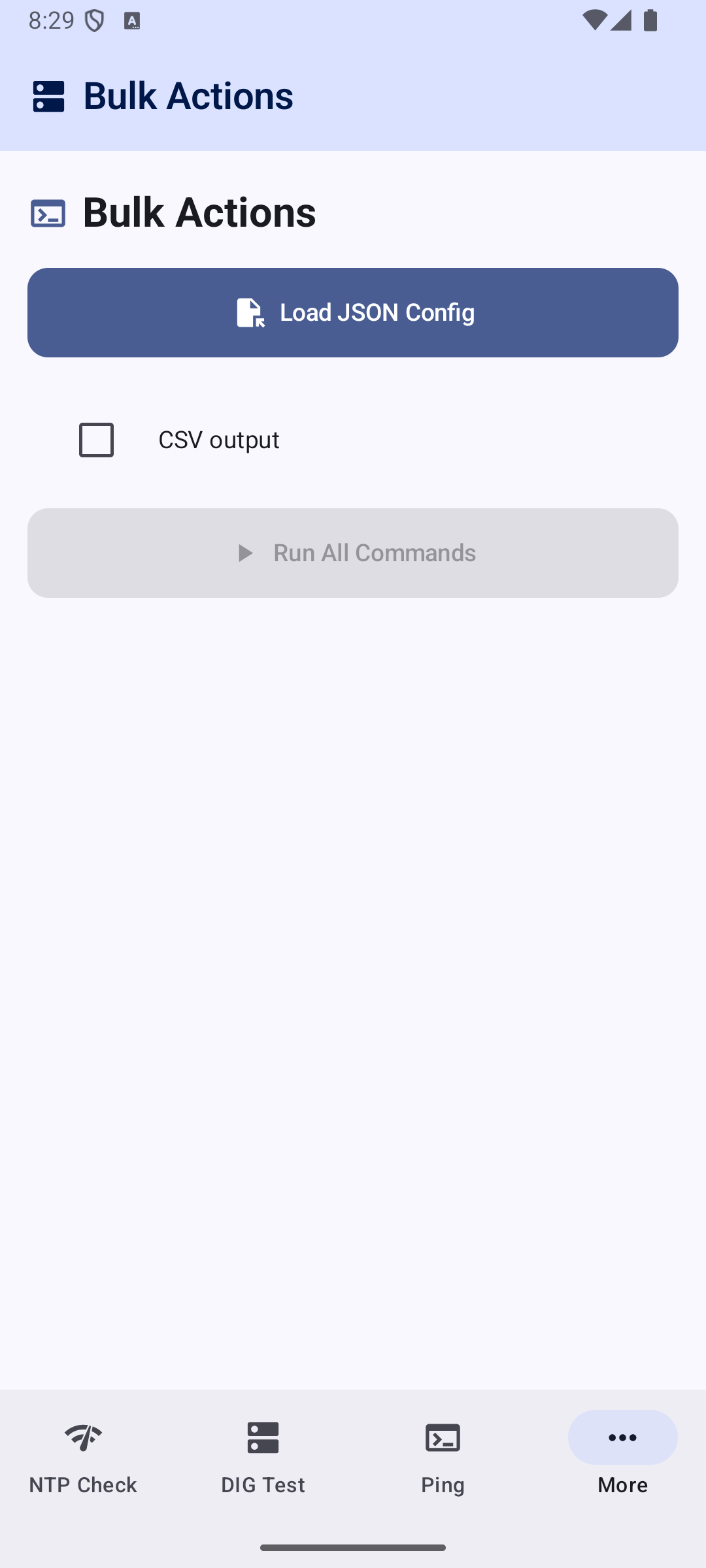
- Load a JSON configuration file defining multiple diagnostic commands to execute in sequence
- Supports built-in command types:
ping,dig,ntp,port-scan,checkcert,device-info,tracert,google-timesync,lan-scan - Unknown command prefixes fall back to raw shell execution
- Each command runs with a 30-second timeout; failures and timeouts are captured per-command without stopping the batch
- Real-time progress bar with command-by-command status (SUCCESS / ERROR / TIMEOUT)
- Terminal-style output with color-coded results
- Auto-saves results to the
"output-file"path defined in the config after execution (with writability validation) - "Validate Config" button checks JSON structure and output-file writability, suggesting a fallback path if needed
- "Write to File" button launches an SAF picker for manual save location selection
- Graceful error handling: invalid JSON, unwritable paths, network failures — all captured and displayed without crashing
Traceroute
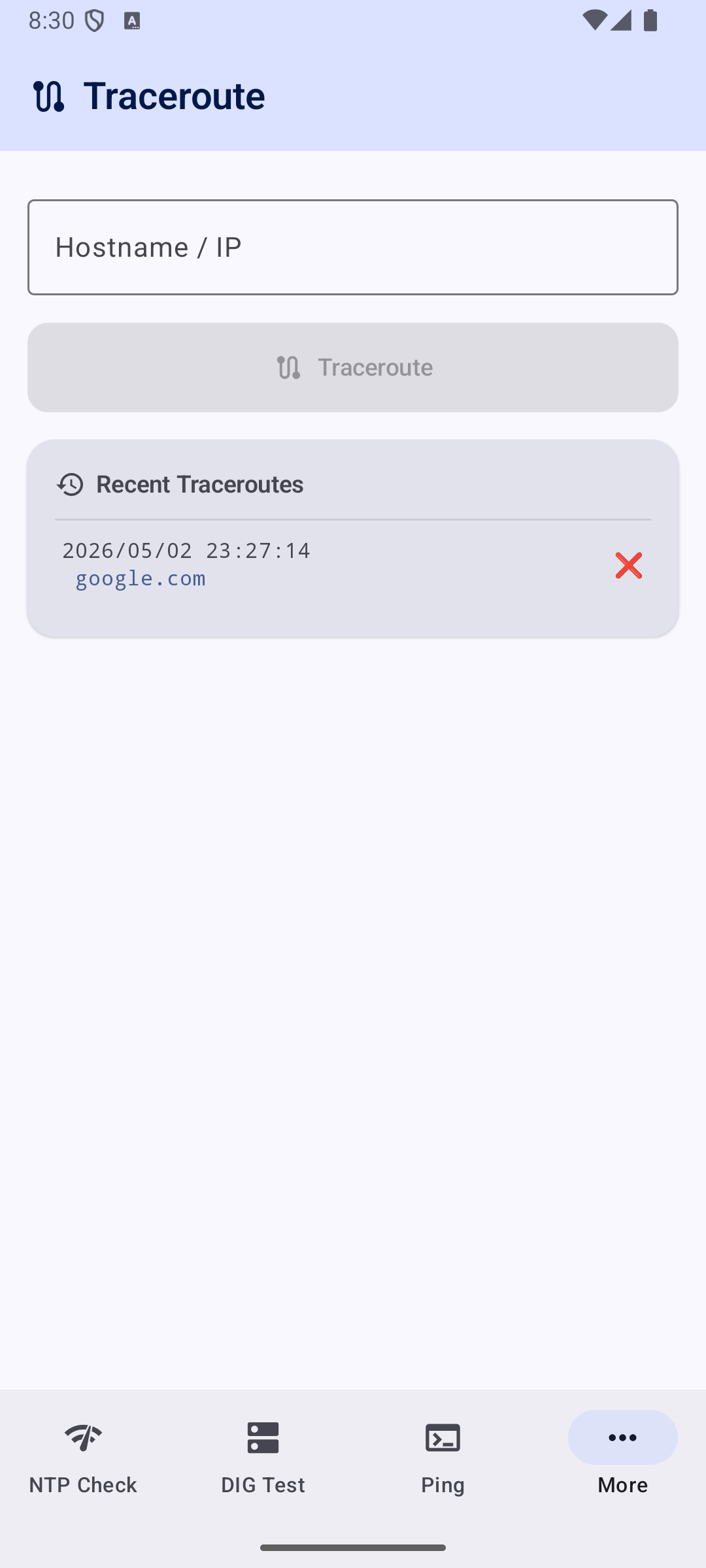
- Enter any hostname or IP address
- Tap Traceroute to start — button turns red and becomes Stop while running
- Output streams live hop-by-hop in a scrolling monospace terminal card
- Implemented via
ping -c 1 -t <TTL>probing (notraceroutebinary required) - Each hop that responds with ICMP Time Exceeded reveals its IP and round-trip time
- Probes up to 30 hops; stops automatically when the destination replies
- History icon reflects the outcome:
- ✅ Destination reached (all or most hops replied)
- 🤷♂️ Some hops replied but destination not reached
- ❌ No hop replied at all
- Last 5 traced hosts kept as clickable history (persisted across app restarts)
Port Scan
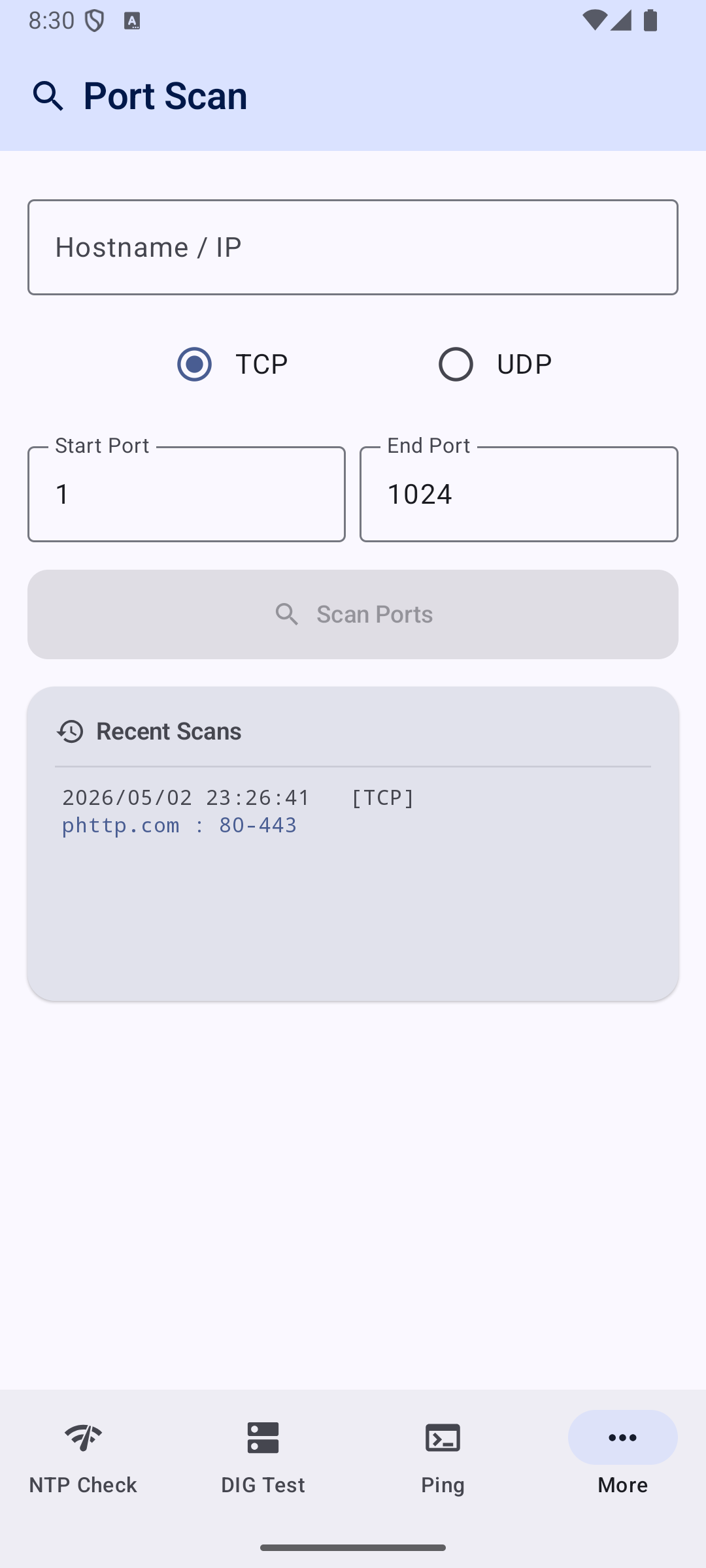
- Check which TCP or UDP ports are open on a specific IP or hostname
- Define custom start and end port ranges
- Select between TCP or UDP scanning protocols
- Live progress bar and dynamically updating list of discovered open ports
- Concurrently scans ports to ensure high performance
- Last 5 scans kept as clickable history (persisted across app restarts)
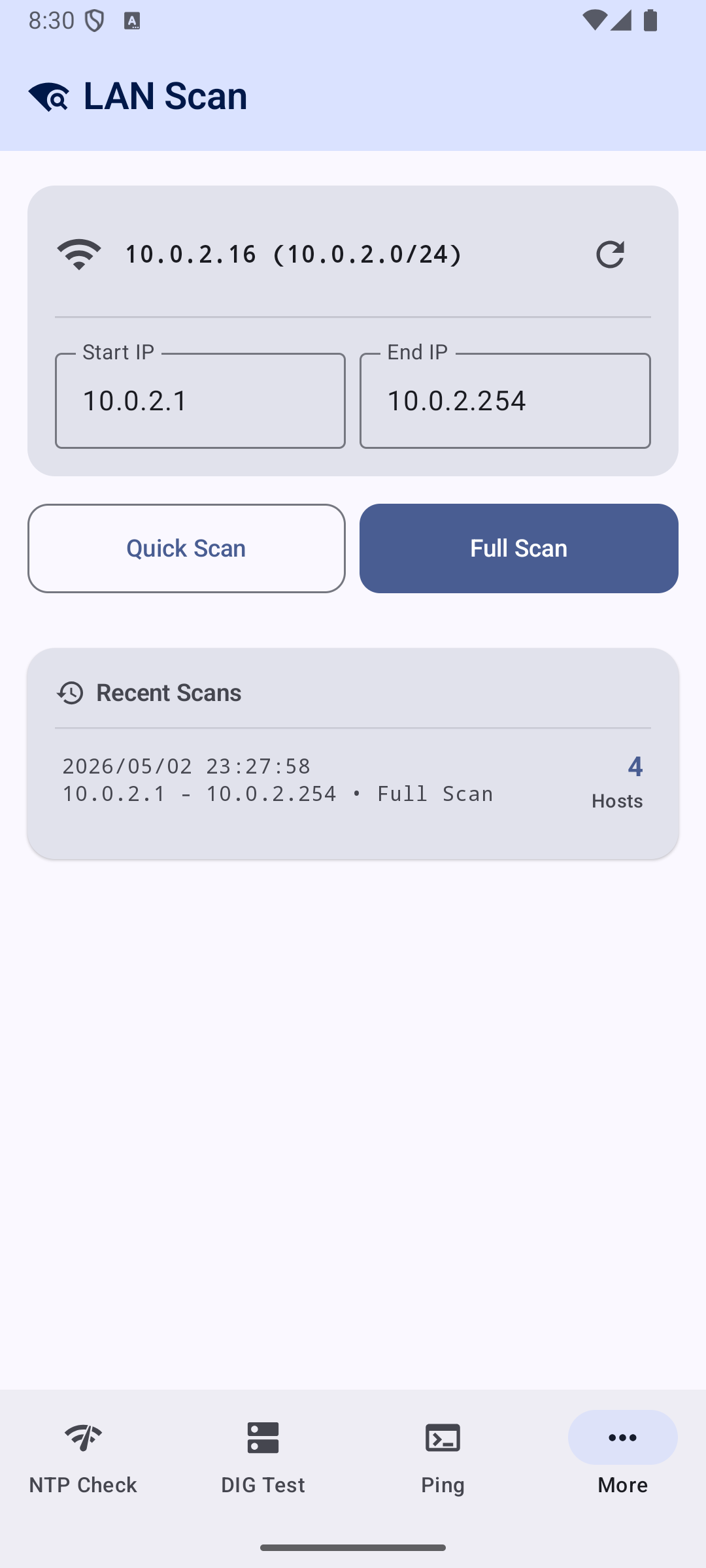
LAN Scanner
- Discover active devices on your local Wi-Fi or Ethernet subnet
- Custom scanning ranges with pre-populated values for your current subnet
- Quick Scan (common IPs) or Full Scan (custom range sweep)
- Live list updating with IP, Hostname, MAC address, and latency (ms) for each discovered device
- Tracks scan progress with a stop/cancel capability
- History of past scans persisted across app restarts
Google Time Sync
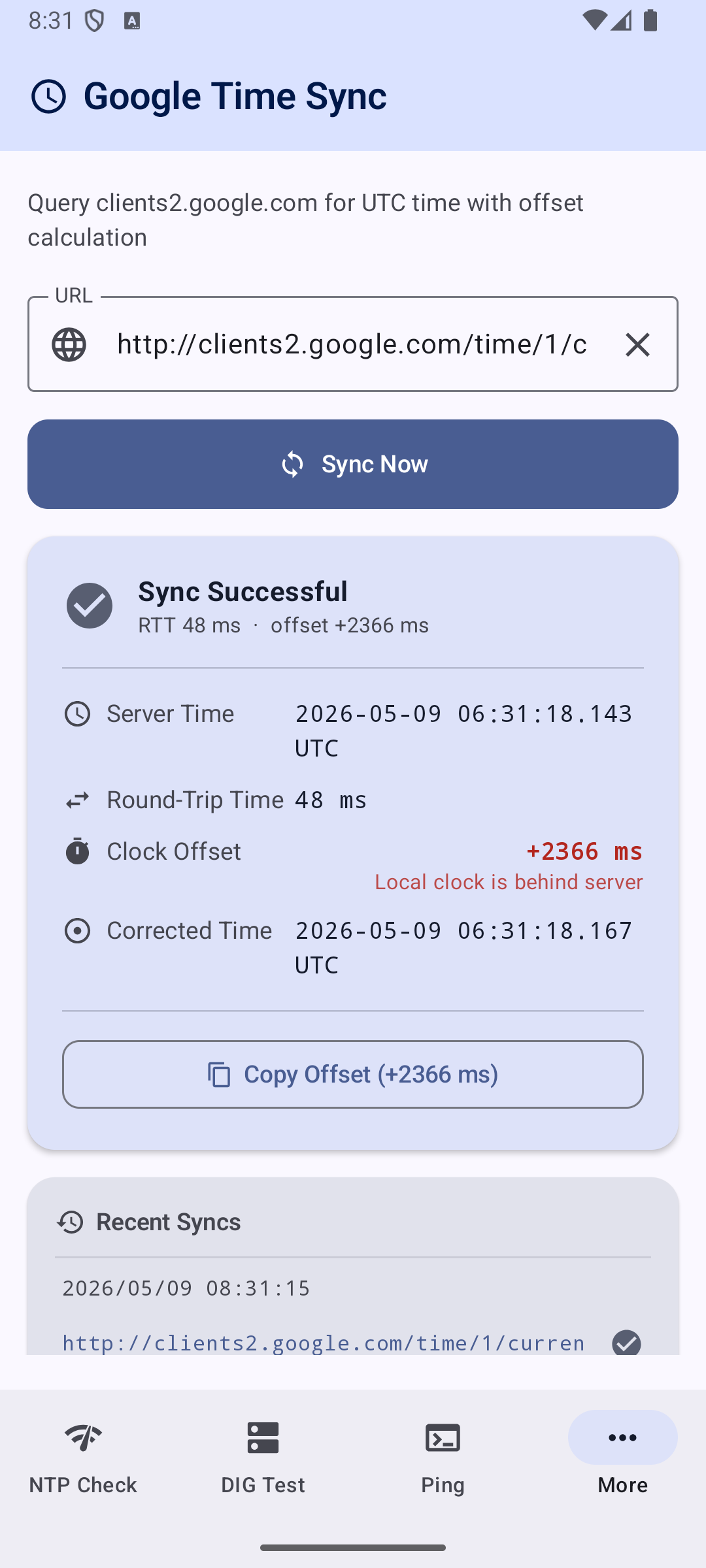
- Queries
http://clients2.google.com/time/1/currentover HTTP and parses Google's time response - Strips the
)]}'XSSI protection prefix before JSON parsing - Computes full NTP-style time synchronisation metrics:
- 📡 RTT — round-trip time (T4 − T1)
- ⏱ Clock Offset —
correctedServerTime − T4(positive = local clock behind, negative = ahead) - 🧮 Corrected Server Time —
serverTime + RTT / 2
- Color-coded offset indicator: 🟢 < 100 ms · 🟠 < 500 ms · 🔴 ≥ 500 ms
- Custom host field (defaults to
clients2.google.com) - One-tap Copy Offset button for manual clock-adjustment workflows
- Idle / Loading / Success / Error states survive rotation and config changes
- Supports optional proxy routing when Proxy PAC is enabled in Settings
HTTPS Cert
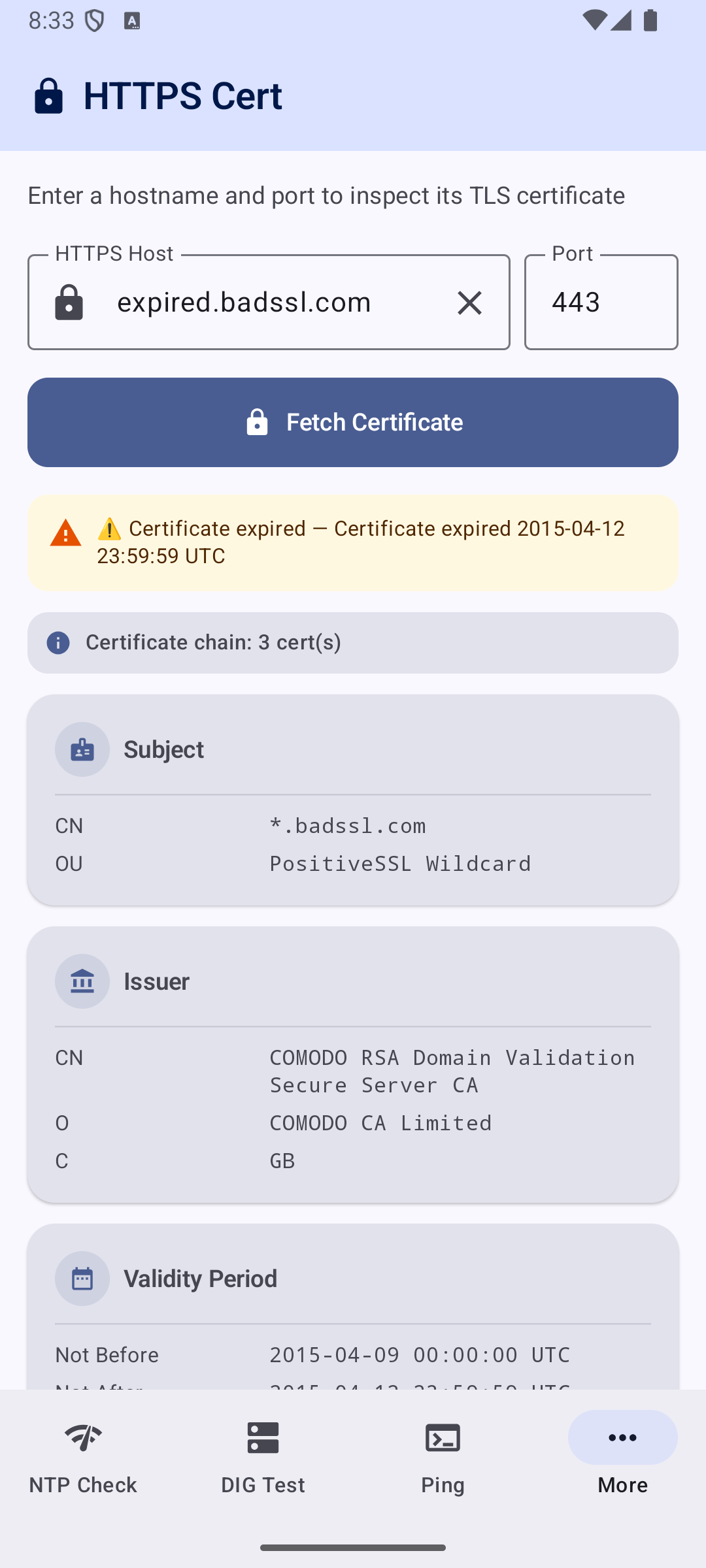
- Enter any hostname and port (defaults to
google.com:443) - Performs a real TLS handshake and extracts the peer's certificate chain
- Displays:
- Subject / Issuer distinguished names (CN, O, OU, C) for each cert in the chain
- Validity period (Not Before / Not After) with days-until-expiry
- Validity status: ✅ Valid · ⚠️ Expiring Soon · ❌ Expired · ⚠️ Untrusted
- Serial number, SHA-256 and SHA-1 fingerprints (tap to copy)
- Subject Alternative Names (SANs)
- Key algorithm, key size, signature algorithm, chain depth
- For untrusted or expired certificates, displays the full chain — leaf → intermediate(s) → root — with
[Leaf],[Intermediate N], and[Root]markers so you can inspect each cert's details even when trust validation fails - Last 5 inspected hosts kept as clickable history (persisted across app restarts)
- Supports SSL tunneling through HTTP CONNECT when Proxy PAC is enabled
Device Information
Device Information
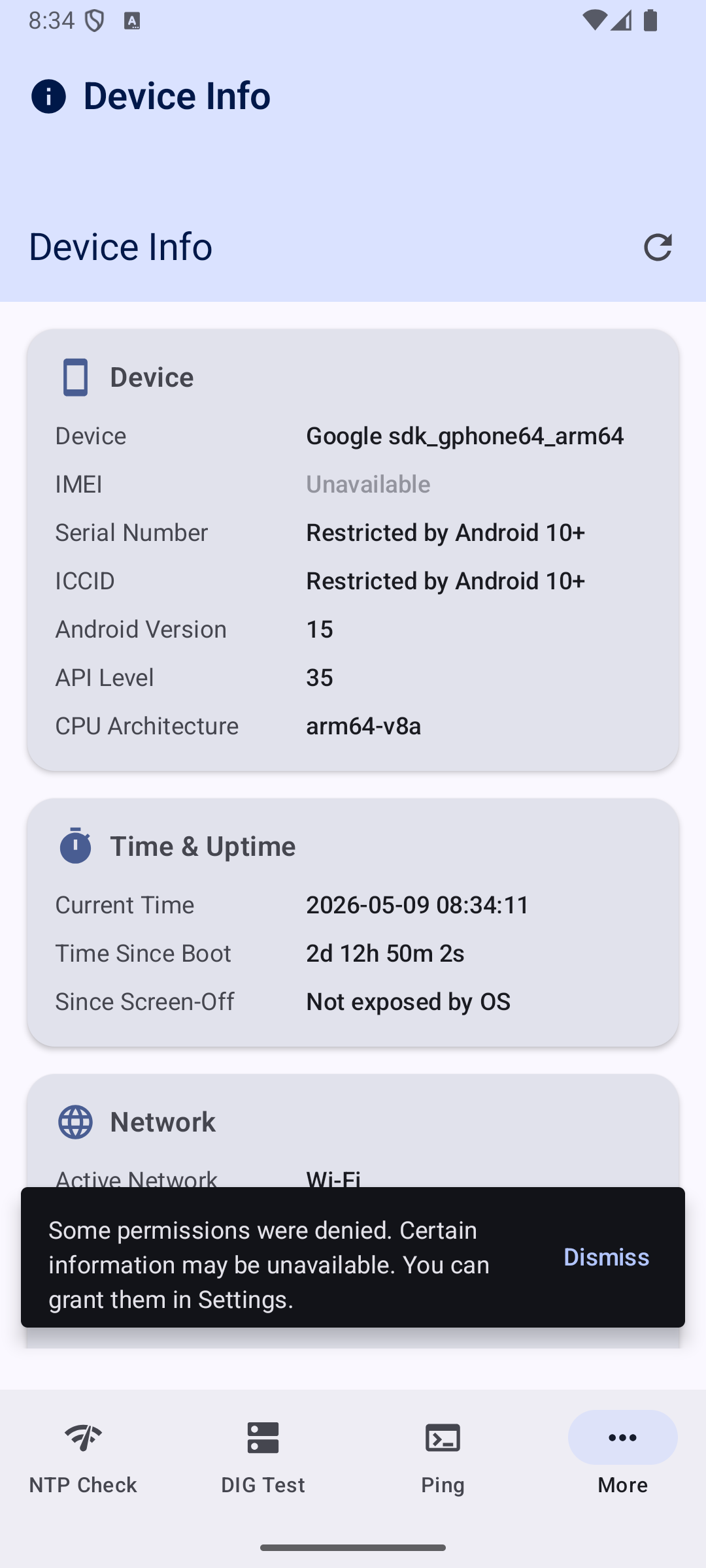
- Comprehensive read-only view of device identity, network, battery, and security
- Displays: Device Name, IMEI, Serial Number, ICCID, Android Version, API Level, CPU Architecture
- Current Device Time (auto-updating), Time Since Boot, Time Since Screen-Off
- Network: IPv4/IPv6, Subnet Mask, Default Gateway, DNS Servers, NTP Server, Active Network Type
- Wi-Fi SSID, Mobile Carrier/Operator name
- Battery Level, Charging Status, Health
- Total/Available RAM & Internal Storage
- MDM/Device Policy Status (Device Owner, Profile Owner, Managed Profile, or None)
- Installed System & User CA Certificates (subject, validity dates, type)
- Handles Android 10+ API restrictions with clear fallback messages (e.g., "Restricted by Android 10+")
- Runtime permission requests via
ActivityResultContracts; rationale shown if denied